
Three views answer three different questions
Total, Stint and Wait are display modes over the same recorded match. Switching among them does not start, pause, edit or reset any player's time. Use the mode that answers the immediate sideline question, then confirm the real lineup before acting.
All three depend on correct clock and substitution entry. BenchClock measures elapsed playing time according to the operator's play and pause actions; it does not read the venue clock or detect who crossed the line.
Use Total for accumulated participation
Total shows how much active time each player has accumulated in the match. It is useful for a broad opportunity check and for reviewing projected rotation totals. A high or low total needs context: arrival time, injury, role, competition rules and a missed entry can all matter.
Do not treat Total as a live instruction by itself. A player with fewer minutes may be unavailable, and a player with more minutes may be the only eligible goalkeeper. Open the player detail and verify availability and role before selecting a swap.
Use Stint for the current uninterrupted interval
Stint shows the current continuous active interval for a player on the field. It helps answer who has been in the current group longest even when accumulated totals differ. A player returning after a rest starts a new stint while retaining the earlier time in Total.
Stint is not a medical workload measure and does not know fatigue. It also cannot repair a late substitution entry: if the screen remained wrong for a minute, the displayed interval reflects that record until a valid journal correction is applied.
Use Wait for eligible bench time
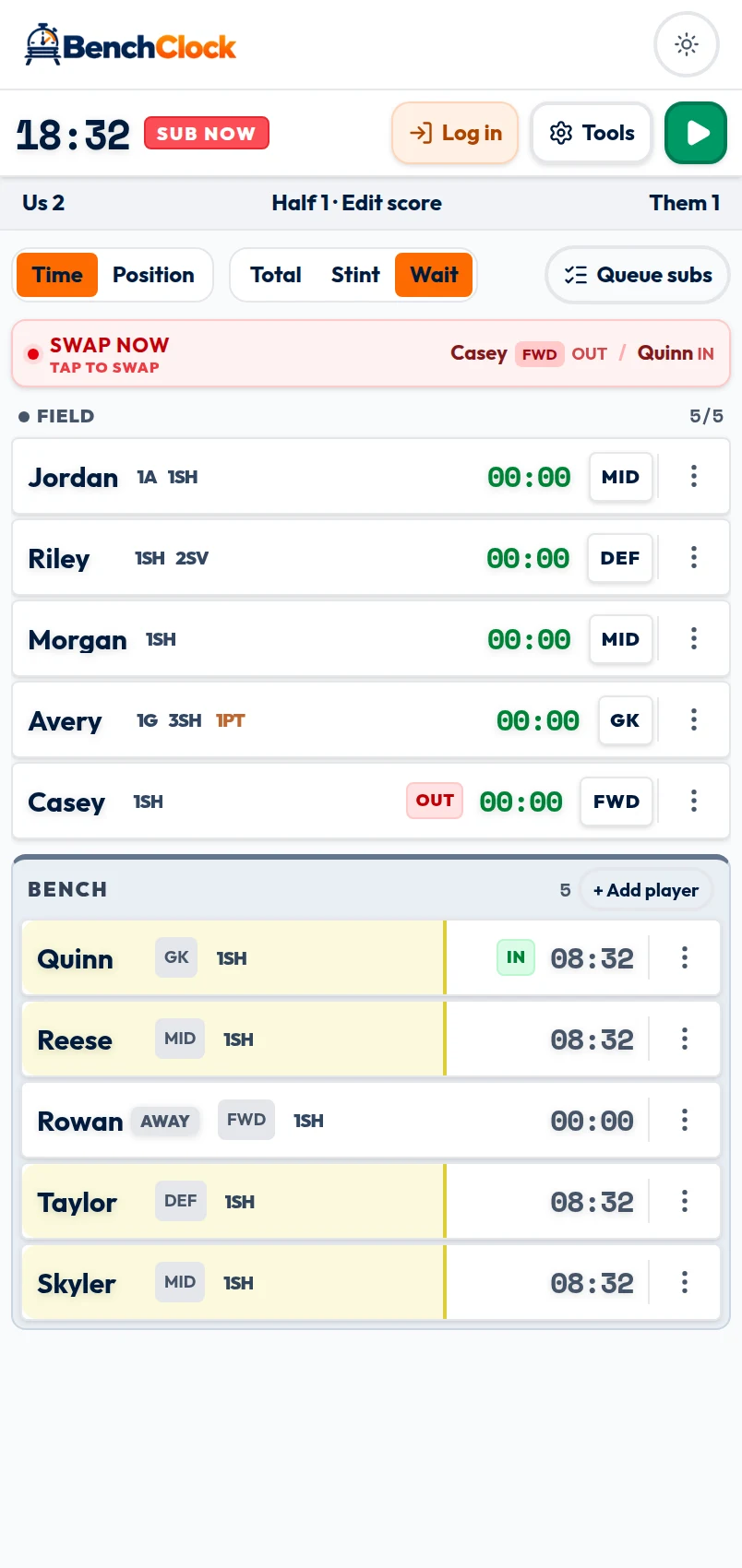
Wait shows how long an eligible benched player has been waiting. It is designed to reveal who may be overlooked while several substitutions and interruptions compete for attention. It is not simply match time minus Total.
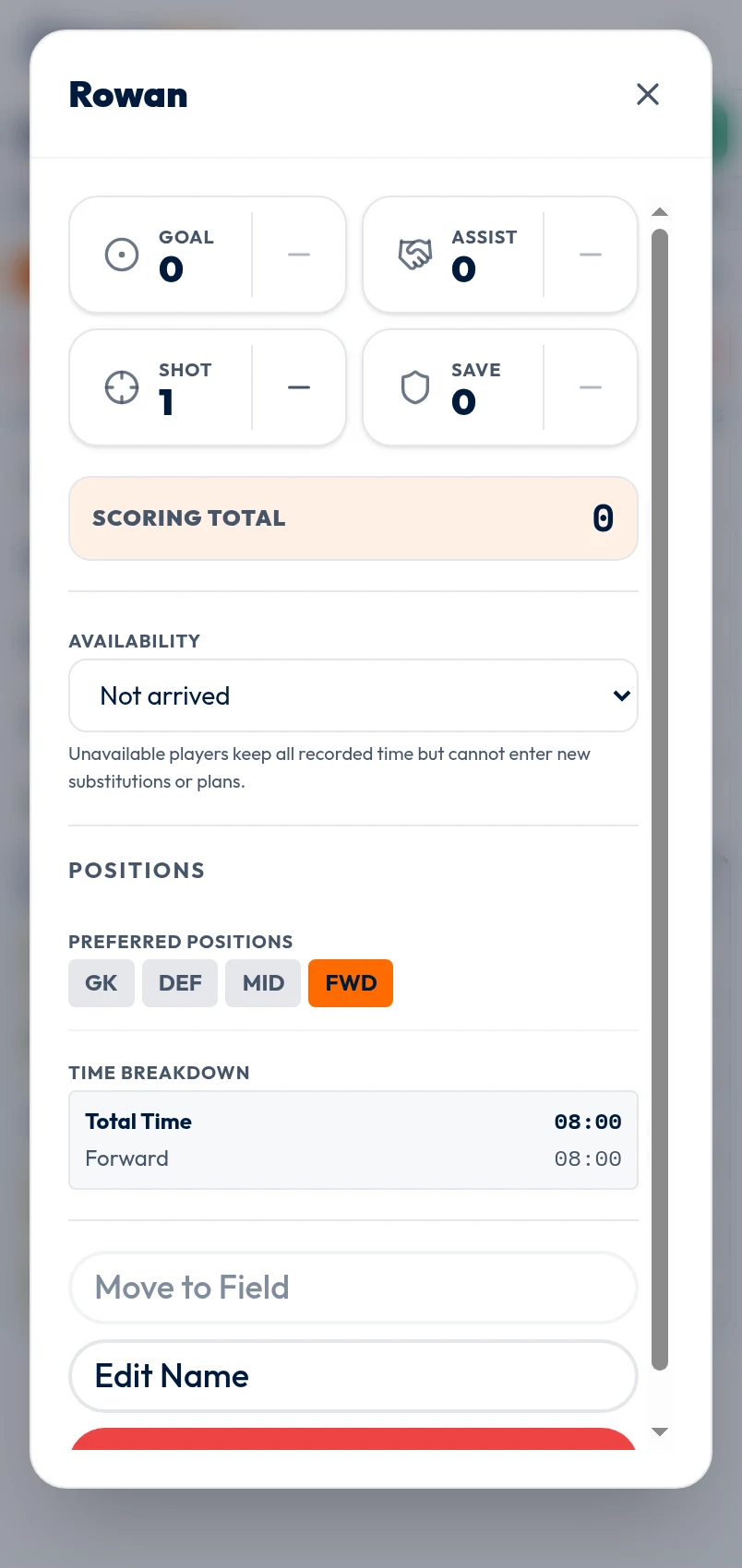
Availability changes the meaning of Wait. A player marked Not arrived, Injured, or Left early is not eligible to enter, so that unavailable period must not drive a recommendation. Recorded time is retained, but unavailable players cannot enter new plans or substitutions.
When a player becomes available again, review the current plan rather than assuming an old queue remains appropriate. Safety and competition rules remain more important than the longest displayed wait.
Configure a reminder as a foreground prompt
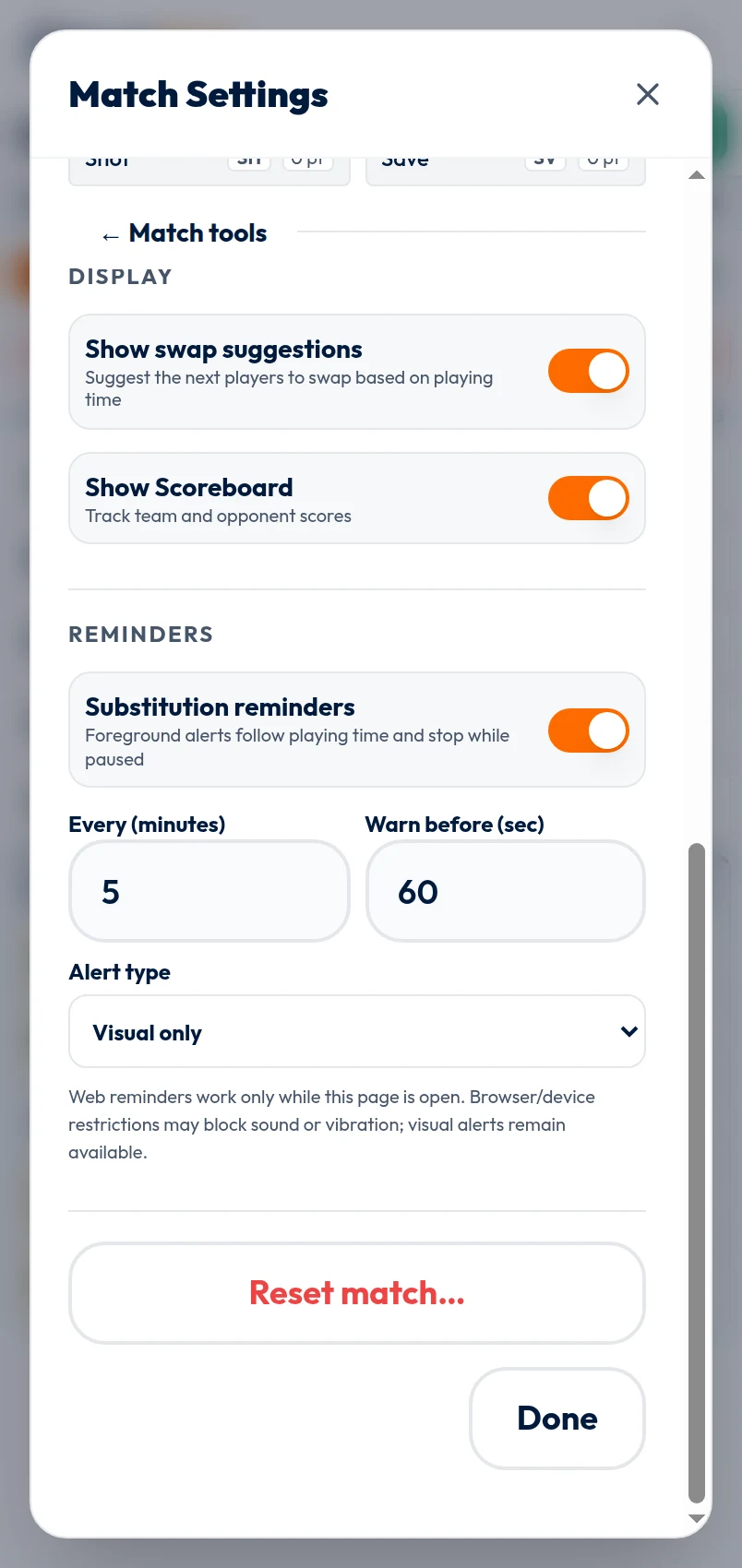
Open Tools, Reminders. Turn on substitution reminders, choose the interval, choose an advance warning, and select Visual only, Sound, or Vibration. The header counts down, changes for the warning window, and shows Sub Now when due.
On the web, reminders work only while the match page is open. Browser and device restrictions may block sound or vibration, and a sleeping or backgrounded page is not a dependable alarm. Visual alerts remain the fallback. Test the selected delivery before kickoff without assuming one successful test guarantees background behavior.
A reminder is based on elapsed playing time and does not know whether the official permits a change. It does not load a plan group, build a queue, or move any player automatically.
Respond with check, prepare, confirm
When the warning appears, check Total, Stint or Wait according to your question, then check availability and the plan. Prepare the incoming player and follow the event's substitution procedure. At the real change, load or build the pairs and confirm them.
If no safe or permitted window exists, wait. The due state is not evidence that a substitution happened. With no rotation plan, the Free Tracker records a confirmed substitution as the acknowledgment point for its next interval. With a plan, the reminder follows the next pending group. Do not assume the connected browser uses the same acknowledgment behavior; verify its displayed countdown.
Keep a paper fallback for an important event and review totals at a natural break. Timers and reminders reduce memory work; they do not replace watching players or making a responsible coaching decision.