
Separate a reusable setup from today's rotation
A saved setup preserves repeatable configuration and an optional starting lineup. A rotation plan is generated for a particular match, available roster, current lineup, duration and elapsed time. Keeping those jobs separate prevents last week's schedule from being treated as correct after an absence.
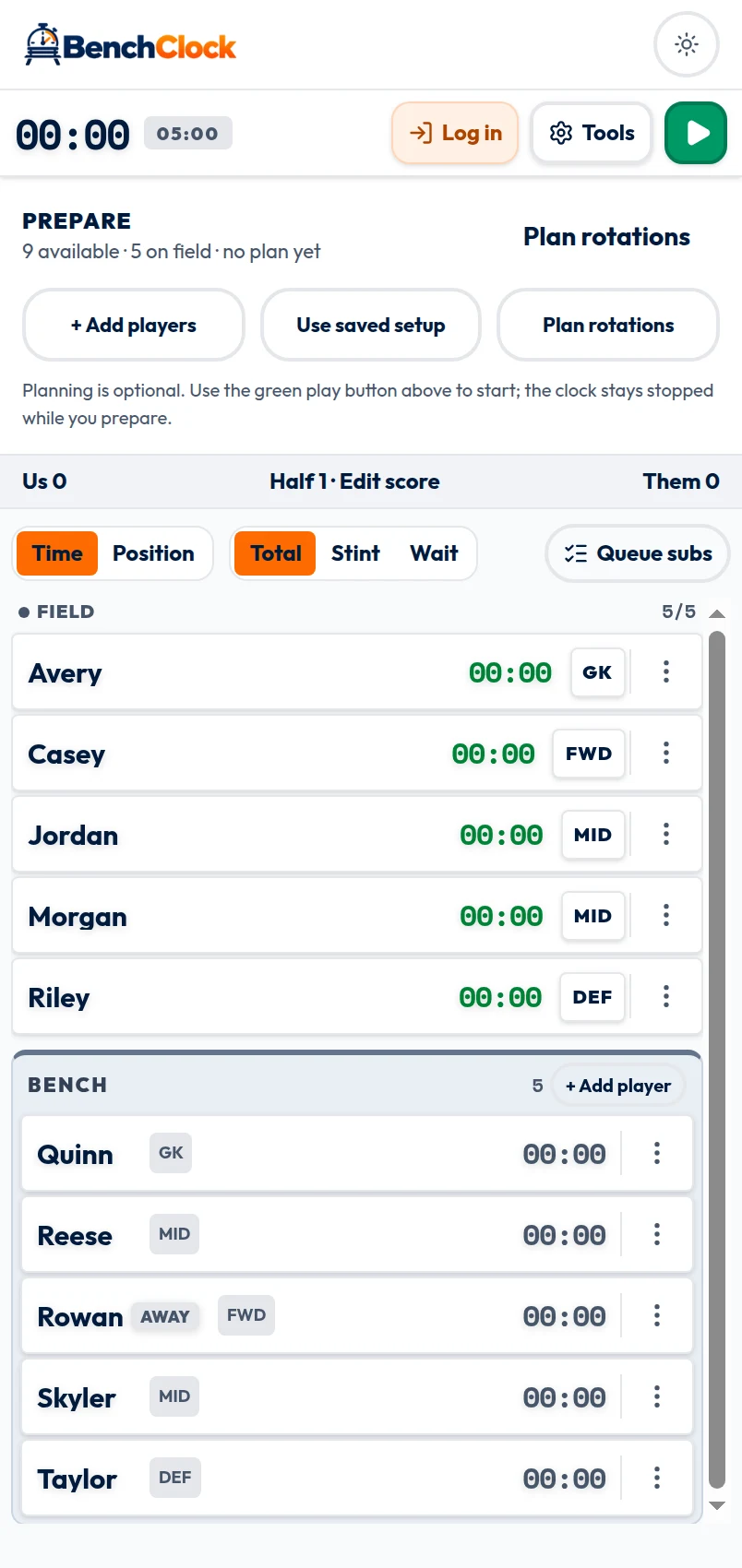
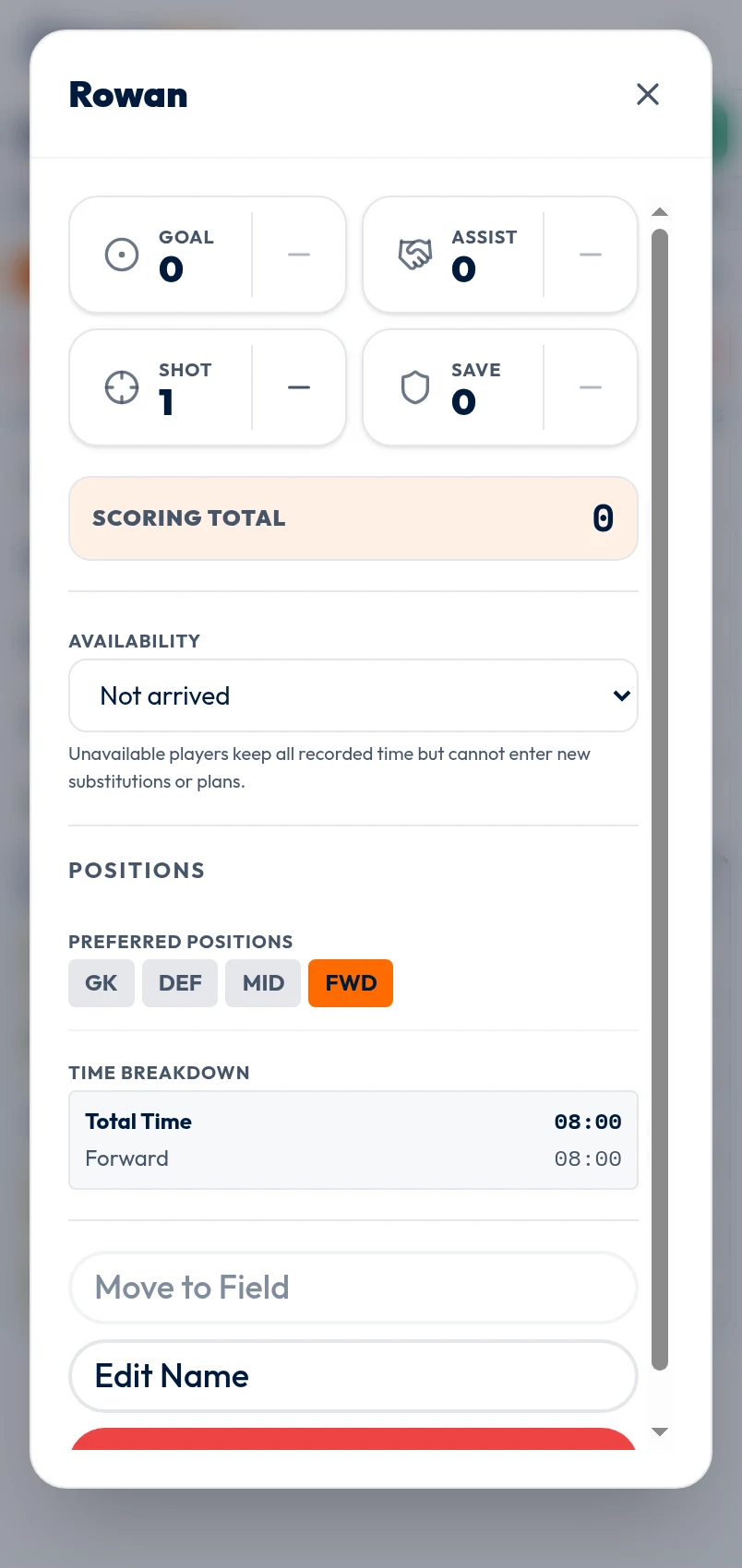
Before kickoff, follow the Prepare controls for your surface. Free Tracker shows Add players, Use saved setup, Plan rotations. A connected prepared match shows Use saved setup, Choose players / lineup, Plan rotations. Confirm capacity and mark Not arrived, Injured, or Left early; unavailable players are excluded from proposals and cannot be substituted in.
Generate a proposal from real constraints
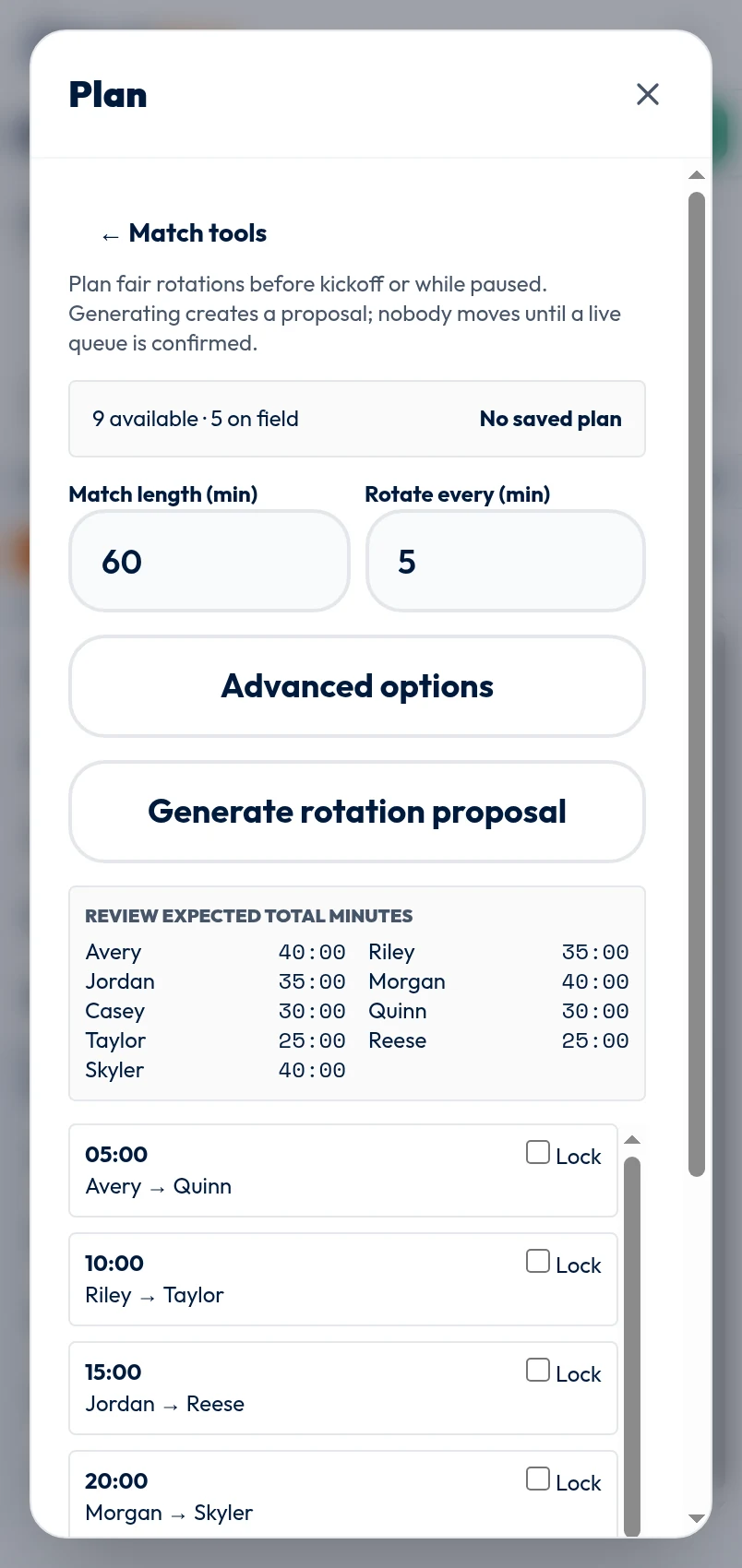
Open Tools, Rotation plan. Enter match duration and the desired rotation interval. Advanced options allow an optional minimum, a fixed goalkeeper and an optional halftime goalkeeper. These values guide a generated proposal; they do not override competition rules or guarantee an exact outcome.
Choose Generate rotation proposal. If a plan already exists, generating again creates a replacement proposal while the confirmed plan stays saved until you explicitly confirm the replacement. Review warnings, especially when fewer available players exist than the configured capacity.
The planner can be used before kickoff or while paused. Current elapsed time and recorded totals matter when planning during a match. Do not regenerate simply to make projections look equal after a real injury; first update availability and current lineup so the inputs describe reality.
Review groups and expected totals
Each group has an elapsed playing-time target and outgoing-to-incoming pairs. In the connected planner you can edit unlocked group minutes and pairs, inspect the projected lineup, and lock groups you want retained. The local planner provides the same core proposal and locking concept with a simpler editor.
Expected total minutes are projections, not recorded facts. They assume the proposed groups occur and cannot know whether play, eligibility, safety or tactics will require a change. Compare the totals for obvious problems, then inspect every pair by name.
Choose Confirm this plan only after review. A plan may later show Needs review or stale when lineup or eligibility assumptions change. Regenerate from the confirmed reality rather than relying on an old projection.
Load a group, then confirm what happens
When the real substitution window arrives, choose Load next group. BenchClock places those pairs into the live substitution queue. Nothing changes on the field yet. Check who is actually entering and leaving, resolve any availability or lineup conflict, then use the queue's confirmation action.
The scheduled minute is a prompt for operator review, not automation. If the change cannot happen, the connected planner can Skip next; you can also revise or regenerate the remaining proposal while paused. Follow the competition's substitution procedure before touching the record.
After confirming, verify the Field and Bench lists. If a recorded journal event has the wrong elapsed time, use Undo & correct rather than changing a future plan to disguise the earlier error.
Save the parts worth reusing
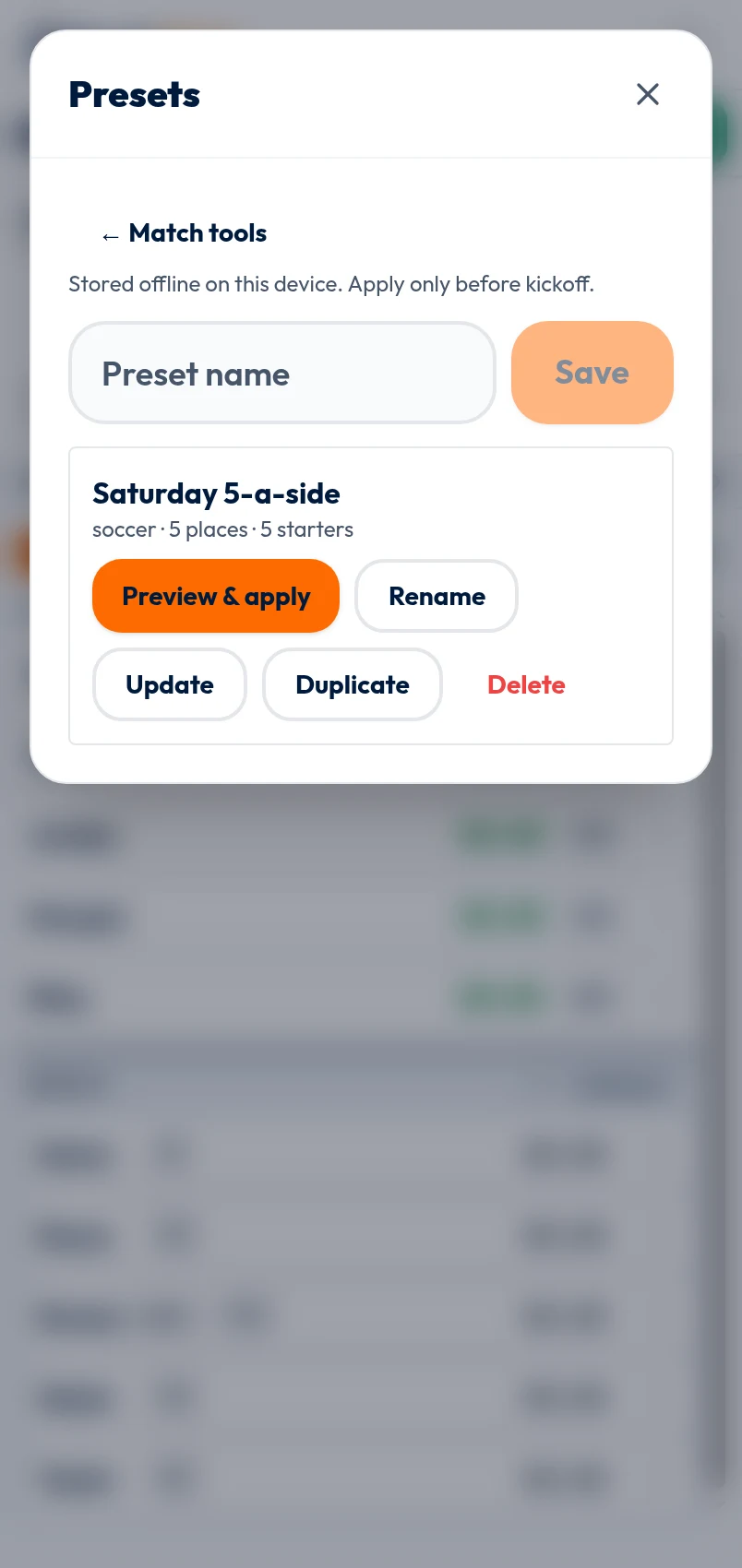
Open Saved setups & starting lineups locally, or Saved setups in a connected match. Name the setup for its purpose, such as Saturday 7v7, not for a result. It can retain sport, field capacity, position choices, quick stats, reminder settings and selected starters.
Applying is a previewed pre-match action. It does not change team defaults, restore unavailable players, or carry a stale rotation schedule. Missing or unavailable starters produce warnings. Apply only to an unstarted match, then review the roster and capacity before kickoff.
You can rename, update, duplicate or delete a setup. Update deliberately: replacing a known setup with an unusual one-off lineup may surprise the next operator. Rotation schedules should always be generated fresh for the eligible players.
Use fairness as a review question
A planner can expose expected opportunity gaps, but it cannot decide what fair means for your age group, competition or safety situation. Compare eligible-player minutes, role constraints and the time remaining. Explain changes honestly when availability or the match changes the plan.
After full time, use the recap or connected reports to compare the plan's intention with recorded participation. Do not report projected minutes as if they occurred. The next useful setup is the one that reduces preparation while still forcing a fresh availability and plan review.